Visible mobile
- 4.6
- Rating
- 1.00M
- Installs
- Free
- Price

 Analysis by App-foxy
I approached Visible mobile as a phone-service app rather than just another place to manage an account. That distinction matters. Its main job is to put the practical parts of mobile service—joining, managing a line, checking account details, and handling routine changes—inside a phone-based experience. In my use, the appeal is less about flashy extras and more about reducing the need to deal with a traditional carrier through stores, long calls, or separate account systems.
That makes it an interesting choice for someone who wants a simpler relationship with their phone service. It is free to install, aimed at an Everyone audience, and belongs to the Communication category. My overall view is positive, but with an important qualification: this is most convincing for people who are comfortable making service decisions and solving ordinary account tasks from an app. If you expect a highly personal, store-assisted carrier experience, the streamlined approach may feel limiting.
What the app is really like to use
The first thing I noticed is how much the experience depends on self-service. The app is designed around the idea that your phone is the control panel for your mobile account. Instead of treating the app as a small companion to a carrier website, Visible mobile makes the phone itself the starting point for managing service.
You May Also Like

 Blood Strike: 2.5 Anniversary
Blood Strike’s Loadouts Turn Every Drop Into a Tactical Gamble
A close look at Blood Strike’s custom loadouts: how fast access to signature weapons reshapes its battle royale rhythm, rewards preparation, and narrows the gap between fights.

 Pandora - Music & Podcasts
Pandora’s Music Is Easy to Start, but Harder to Recover
Pandora’s strength is its low-effort path from a seed to a station. Its weak spot is how much confidence it asks you to place in connection, setup, and quiet recovery.

 8 Ball Pool
 Is Built on Rivalries, Rematches, and Routine
A close look at the rivalries, rematches, shared routines, and unanswered safety questions that turn a quick pool match into a persistent mobile community.

 Samsung Music
’s Quiet Strength Is Playing What You Already Own
Its reach comes less from spectacle than from dependable access to a personal library. That simplicity is both the app’s strongest retention engine and its ceiling.

 AccuWeather: Weather Radar
AccuWeather Review: A Quick, Clear Forecast for Everyday Decisions
For everyday plans, the best forecast is the one you can understand quickly. AccuWeather makes rain timing, radar, and local conditions easy to act on, with a few trade-offs.

 Hill Climb Racing
Why Hill Climb Racing Still Turns Crashes Into One More Run
A tiny car, a bumpy hill and one more upgrade: Hill Climb Racing keeps resurfacing because its simple chaos makes every near-miss feel personal.
More From Our News Desk



That approach is useful when you want to handle something quickly from wherever you are. A person moving to a new phone, checking the status of their service, or reviewing account information does not necessarily want to search for a desktop portal or wait for a representative. Having those tasks gathered in one mobile environment is the central strength here.
The developer, Visible Services, LLC, has kept the product focused on communication rather than turning it into a general lifestyle app. That focus helps the app make sense: you open it because you need to deal with your mobile service, not because you are looking for entertainment, social content, or unrelated tools.
I also found the app easier to understand when I treated it as an account-management tool instead of expecting it to replace every interaction with a carrier. That mindset sets the right expectations. It is valuable for routine control and visibility, while more complicated situations may still require patience and careful reading inside the app.
The strongest reason to choose it
The strongest argument for Visible mobile is convenience through consolidation. Mobile service often involves several separate moments: selecting a plan, keeping track of the account, dealing with a device change, and checking whether everything is ready when something goes wrong. A dedicated app gives those moments a shared home.
For example, imagine someone leaving work and realizing that their phone is not behaving as expected. With a conventional carrier, they might switch between a website, a support number, and a store locator. With this app, the first sensible step is to open the account environment and see what can be checked or managed there. Even when the app cannot solve every issue instantly, it gives the user a clear place to begin.
That is a meaningful difference from a carrier experience built mainly around paper bills, browser logins, or in-person assistance. I especially like the fit for people who prefer to make changes on their own schedule. The app does not ask you to organize your day around a store visit for every ordinary account task.
Another useful quality is its low barrier to trying the service. The app itself is free, so installing it does not create an additional purchase decision. That does not mean every aspect of mobile service is automatically free, and I would still read the service details carefully before switching. It does mean the app is easy to explore before deciding whether its style suits you.
Practical workflows where it earns its place
One good workflow is preparing for a phone change. I would open the app before moving to the new device, review the account information, and make sure I understood what would need to be done rather than waiting until the old phone was already unavailable. This small habit can prevent the most frustrating kind of mobile problem: discovering that you need an account detail only after you have started the transfer.
A second workflow is using the app as a regular checkpoint instead of opening it only during an emergency. A quick review after making an account change can help confirm that the action was completed and that the account still looks as expected. This is more reliable than assuming a change worked simply because a button responded.
A third, less obvious use is keeping the app ready for travel or busy periods. When you are away from home, the value of mobile account access increases because a store or computer may not be convenient. I would sign in and become familiar with the important areas before leaving, rather than trying to learn the interface while dealing with a service problem in an unfamiliar place.
These are not glamorous features, but they are the kinds of habits that make a communication app genuinely useful. The benefit comes from preparation and access, not from opening it repeatedly without a specific reason.
Where the experience can feel restrictive
The same self-service design that makes the app convenient can also create friction. When an issue is straightforward, app-based management feels efficient. When an issue involves several moving parts, I would rather have a clear human explanation than work through screens and instructions on my own.
This is the main limitation I would discuss with a friend. A mobile app can present account information neatly, but it cannot remove every complication connected with changing service, moving a number, replacing a device, or diagnosing a problem. If you are not comfortable checking details carefully, the clean interface may give a false sense that every decision is equally simple.
There is also a difference between being able to access an account and truly understanding what an action will do. Before confirming a change, I would slow down and read the wording, especially if the action affects an existing line or device. A few extra seconds of attention are worthwhile because convenience should not mean rushing through an important service decision.
People who rely heavily on in-person help may also find the experience less reassuring than a traditional carrier’s retail model. That is not necessarily a flaw for everyone. It is a question of fit. I see the app as a strong match for independent users, but a weaker match for someone who wants a nearby representative to explain every step.
How it compares with ordinary carrier alternatives
Compared with a traditional carrier website, Visible mobile feels more direct for phone-first users. A website can be better when you need a large screen, want to compare several pages at once, or prefer using a keyboard. The app is better when the task is tied to the phone you already carry and you want account access without opening a browser.
Compared with calling customer support, the app offers more control and less dependence on waiting. That is its clearest advantage. You can begin with the information already connected to your account instead of explaining the entire situation from the beginning. On the other hand, a call remains preferable when the problem is unusual or when you need a person to interpret a complicated situation.
Compared with visiting a physical store, the app is faster for routine actions and more convenient outside business hours. The trade-off is that the store provides a physical point of reassurance, while the app expects you to be comfortable handling the process yourself. Neither model is universally better; they serve different kinds of users.
I would not choose Visible mobile simply because it is an app. I would choose it because I prefer a phone-centered service relationship. If your priority is hands-on assistance, a carrier with a strong retail presence may be a better fit. If your priority is control without unnecessary in-person steps, this app makes a persuasive case.
Performance, trust, and everyday confidence
The product has had time to mature since its release on Aug 1, 2019. Its current version is 2.2.19, and it supports devices running Android 7.0 or later. Those details make it relevant to people using older Android phones, although I would still keep the operating system updated when possible for general security and compatibility.
Visible mobile has reached over a million installs, with an average rating of 4.6 from around sixty-five thousand ratings and roughly thirteen thousand written reviews. I read that broad response as a sign that the app has found a substantial audience, not as proof that every user will have the same experience. Communication tools are especially dependent on personal circumstances, device setup, and the kind of assistance a person expects.
The rating is encouraging because account-management apps are judged harshly when they fail at the exact moment users need them. Still, I would not use popularity as a substitute for checking whether the service model suits you. A well-liked self-service app can remain the wrong choice for someone who dislikes handling carrier tasks alone.
Who should use it, and who should skip it
I would recommend Visible mobile to people who prefer digital account management, want to avoid unnecessary store visits, and are comfortable reading instructions before confirming changes. It is also a sensible option for users who want their mobile-service controls close at hand rather than spread across a website, phone number, and paper documents.
It may suit a busy household as well, particularly when one person takes responsibility for keeping track of service details. In that situation, the app can serve as a central place to review the account and prepare for changes. I would still recommend that the account holder keep important information organized separately, because an app should not be the only place you rely on when changing phones or recovering access.
I would be more cautious about recommending it to someone who rarely uses apps, has difficulty navigating account settings, or wants a carrier representative to take ownership of complicated problems. An app-based approach can feel empowering to one person and isolating to another. That difference is more important than the download price.
I would also suggest comparing alternatives if your decision depends on a very specific service arrangement, extensive device assistance, or a strong preference for face-to-face support. The app can make the service easier to manage, but it does not automatically make every mobile-service choice ideal for every household.
Small habits that make the app more useful
My first tip is to explore the account before you need it. Learn where the main service and account areas are while the phone is working normally. That preparation turns a stressful situation into a familiar sequence of checks.
My second tip is to review the result of a change instead of assuming completion. After updating something, return to the relevant account area and confirm that the displayed information matches what you intended. This is especially helpful when preparing for a device change or checking service after an interruption.
My third tip is to use the app alongside, not instead of, sensible records. Keep essential account details available in a secure place, particularly before traveling or replacing a phone. The app is a convenient control center, but good preparation protects you if you lose access to the device itself.
Finally, I would avoid treating the app as a reason to make unnecessary changes. Its convenience makes experimentation easy, but mobile service is one area where a small, deliberate check is better than repeated adjustments. Use it to understand and manage your service, not merely to keep tapping through account screens.
My final recommendation
Visible mobile succeeds because it understands a simple preference: many people would rather manage phone service from the phone in their hand than deal with a traditional carrier process. The app gives that preference a practical form, and its free availability makes it easy to consider without adding an app-specific cost.
My verdict is favorable for independent, mobile-first users. I like the convenience, the focused communication purpose, and the way it supports everyday account preparation. I also think its limits are clear: self-service is not the same as personal assistance, and a tidy interface cannot make every carrier problem simple.
Choose Visible mobile if you want control and convenience more than face-to-face guidance. If that describes you, it is a worthwhile app to keep available. If you want a representative to handle the hard parts, compare it with a carrier experience built around direct support before making the switch.
FAQs for Visible mobile
01What is Visible Mobile, and how does it work?
Visible Mobile is a wireless service provider offering an all-digital experience. It operates on Verizon’s 5G and 4G LTE networks, ensuring wide coverage and high-speed internet. Users can manage their accounts entirely through the Visible app, which provides options for unlimited data, messaging, and minutes without the need for physical stores.
02What are the key features of Visible Mobile's service?
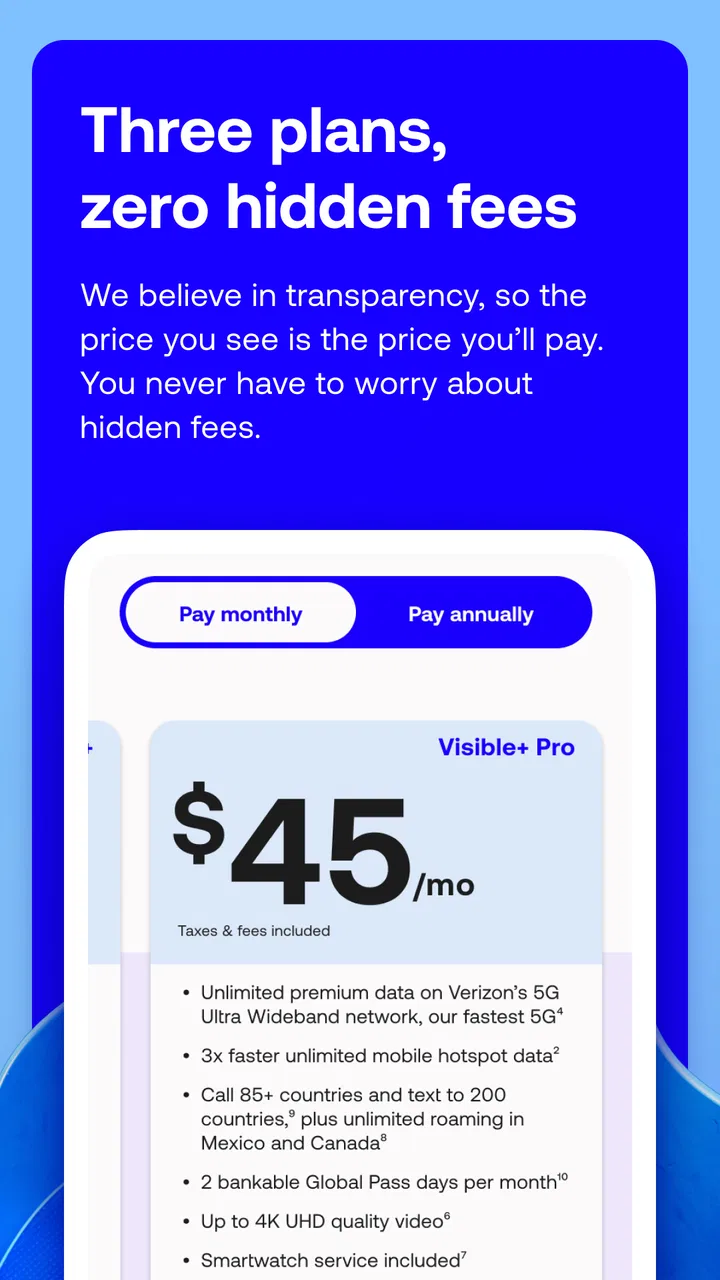
Visible Mobile offers unlimited data, talk, and text with no annual contracts or hidden fees. A standout feature is its Party Pay, allowing users to join a group to reduce their monthly bill. The app also supports features like Wi-Fi calling, mobile hotspot use, and free international texting.
03How does Visible Mobile's pricing compare to other carriers?
Visible Mobile offers a competitive flat-rate plan, making it more straightforward than traditional carriers. With taxes and fees included in the monthly payment, there are no surprises. Party Pay can further reduce costs, making it an attractive option for budget-conscious users seeking unlimited data plans.
04Does Visible Mobile support international roaming?
Visible Mobile does not currently support international roaming, which means the service is primarily limited to use within the United States. However, it does offer free international texting to select countries. Users planning to travel internationally might need to consider temporary alternatives for connectivity.
05What devices are compatible with Visible Mobile?
Visible Mobile supports a wide range of devices, including iPhones and Android smartphones. Users can check device compatibility directly on the Visible website or app. Additionally, Visible offers a selection of phones for purchase, and users can bring their own device if it's unlocked and compatible.
Pros
- User-friendly interface for easy navigation.
- Strong network coverage in most areas.
- No annual contracts
- offering flexibility.
- Affordable unlimited data plans.
- Supports 5G on compatible devices.
Cons
- Limited international roaming options.
- Customer support only via chat.
- No physical stores for in-person help.
- Device compatibility can be limited.
- Slower data speeds during congestion.

Visible mobile
Gallery